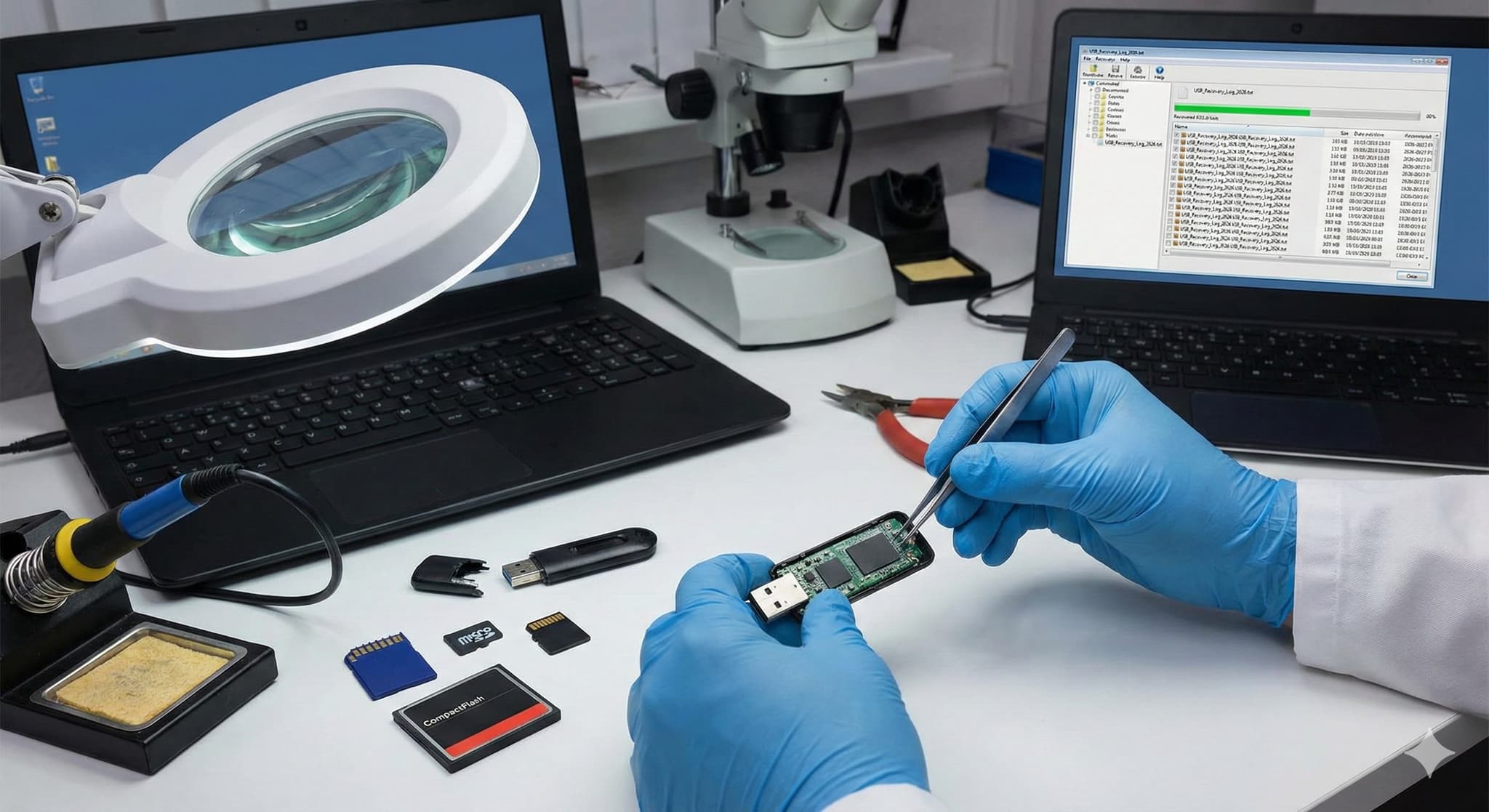
USB Flash Drive & Memory Card Data Recovery - Complete Guide 2026
USB Flash Drive & Memory Card Data Recovery - Complete Guide 2026
The USB flash drive stopped working. The camera's SD card reports an error. The phone's microSD isn't recognised. On these small devices, we often have our most valuable things – holiday photos, documents, backups.
In this guide, you'll learn when data recovery from flash media is possible, when it isn't, and how to proceed to have the best chance of success.
Types of Flash Media
USB Flash Drives
The most widespread portable storage. There are two basic types:
Classic USB drives:
- Contain a separate controller and NAND chips
- When the controller fails, data can often be recovered
- More expensive, but more reliable
Monolithic USB drives:
- Controller and NAND are in one chip
- Cheaper to manufacture
- Much more difficult recovery when they fail
- Most cheap USB drives today
SD Cards
Standard for cameras, camcorders, and some laptops.
| Type | Dimensions | Typical Use |
|---|---|---|
| SD | 32×24 mm | Cameras, laptops |
| miniSD | 21.5×20 mm | Older devices (rare) |
| microSD | 15×11 mm | Phones, drones, action cameras |
Other Formats
CompactFlash (CF):
- Professional cameras
- More robust construction
- Often better recovery chances
CFexpress / XQD:
- Latest professional formats
- High speed
- Specialised recovery
Memory Stick (MS):
- Sony devices
- Less common today
Why Flash Media Fails
NAND Cell Wear
Flash memory has a limited number of write cycles:
- SLC (Single Level Cell): ~100,000 cycles
- MLC (Multi Level Cell): ~10,000 cycles
- TLC (Triple Level Cell): ~3,000 cycles
- QLC (Quad Level Cell): ~1,000 cycles
Cheap USB drives use TLC or QLC = shorter lifespan.
Sudden Disconnection
Pulling out a USB drive or card during writing can damage:
- File system (FAT32, exFAT, NTFS)
- Controller firmware
- Mapping tables
Physical Damage
- Broken USB connector
- Damaged SD card contacts
- Water damage, overheating
- Electrostatic discharge
Manufacturing Defects
Cheap flash drives from unknown sources have a high failure rate. Some use recycled or substandard NAND chips.
Firmware Problems
The controller in a flash drive has its own firmware. If it gets corrupted:
- Drive isn't recognised
- Shows wrong capacity
- Reports "Insert disk" even when inserted
Signs of Flash Media Failure
USB Flash Drive
"USB device not recognised"
- Windows doesn't see the drive
- Possible cause: Controller failure, firmware
Drive visible but 0 MB capacity
- Controller in emergency mode
- Data probably still on NAND
"Disk needs to be formatted"
- Corrupted file system
- Data often recoverable
Physically damaged connector
- Bent, broken USB connector
- Requires connector resoldering or chip-off
SD / microSD Card
"Card is damaged"
- File system or firmware error
- Don't try to format!
Card not recognised
- Try in a different device/reader
- Possible controller failure
Only some files readable
- Damaged sectors
- Partial recovery possible
When is Recovery Possible
High Chance
Logical damage:
- Accidentally deleted files
- Corrupted file system
- Formatting (without data overwrite)
Solution: Software recovery or professional logical recovery.
Firmware failure:
- Controller in emergency mode
- Drive not recognised, but NAND OK
Solution: Firmware-level recovery or chip-off.
Medium Chance
Monolithic USB drives:
- Everything in one chip
- Requires specialised tools
- Chip-off with direct NAND reading
Partially overwritten data:
- Some files overwritten
- Partial recovery possible
Low Chance
Physically damaged NAND:
- Burned chip
- Mechanical damage to cells
- Often cannot be recovered
Completely overwritten data:
- TRIM (on some SD cards)
- Full overwrite with new data
What to Do When Failure Occurs
Step 1: Stop Using the Device
Any further writing can overwrite data. If the drive is visible:
- Don't copy anything TO it
- Don't format
- Don't try to "repair" on the computer
Step 2: Try a Different Device
Sometimes the problem isn't the media:
- Different USB reader
- Different computer
- Different USB port (directly on motherboard)
Step 3: Assess the Situation
Logical damage + regular user: You can try recovery software (Recuva, PhotoRec). But only if:
- The drive is visible and readable
- You're not sure it's a physical problem
- Data isn't critical
Physical damage or critical data: Contact professionals. DIY attempts can make things worse.
Step 4: Professional Help
For flash media we offer:
- A free case assessment and a binding quote before any work starts
- Logical and physical recovery
- Chip-off for monolithic drives
Professional Recovery Methods
Logical Recovery
When: File system corrupted, but drive readable.
Procedure:
- Sector copy of entire media
- File system analysis
- File structure reconstruction
- Data extraction
Firmware-Level Recovery
When: Controller in emergency mode, drive not recognised.
Procedure:
- Controller identification
- Entering service mode
- Firmware reconstruction or reflash
- Data reading
Chip-off Recovery
When: Dead controller, monolithic drive, physical damage.
Procedure:
- Desoldering NAND chip from PCB
- Reading raw data via programmer
- Decoding (ECC, scrambling, wear levelling)
- File system reconstruction
The chances depend on the chip type and the extent of the damage.
Note: Monolithic USB drives are most challenging for chip-off – NAND and controller are in one package.
Flash Media Data Recovery Pricing
| Recovery Type | Indicative Price |
|---|---|
| Logical recovery (deleted files, formatting) | from €69 |
| Broken connector | from €69 |
| NAND chip-off | from €169 |
| Controller failure | from €329 |
| Monolithic chip (most microSD cards) | from €399 |
Indicative "from" prices – you receive a binding quote after the free case assessment. Full price list: USB and memory card pricing.
Preventing Data Loss
Safe Disconnection
Always use "Safely Remove Hardware" before removing a USB drive. On Windows:
- Click the icon in the system tray
- Select the device
- Wait for confirmation
- Only then remove
Quality Media
Invest in branded media:
- USB: SanDisk, Samsung, Kingston (higher series)
- SD cards: SanDisk Extreme, Samsung PRO, Lexar Professional
Avoid:
- Unknown brands
- Extremely cheap offers
- USB drives from flea markets
Backups
Flash media is for transfer, not archiving. Important data:
- Back up to multiple locations
- Don't store only on flash drive
- Regularly copy photos from cards
Physical Protection
- Use protective cases
- Protect from moisture
- Don't expose to extreme temperatures
- Watch out for electrostatic discharge
FAQ
Can data be recovered from a formatted SD card?
Often yes, if you haven't written new data to the card. "Quick formatting" doesn't erase data, just the file system. Full formatting or writing new files reduces chances.
USB drive shows 0 MB – is the data gone?
Probably not. This often means a firmware problem – the controller is in emergency mode. Data on the NAND chips may still be present.
How much does photo recovery from SD card cost?
Logical recovery (deleted photos, corrupted file system) starts from €69. Physical damage costs more – chip-off from €169, a faulty controller from €329, monolithic cards (most microSD cards) from €399. You receive a binding quote after the free case assessment.
Can I use recovery software?
If the media is readable and the problem is logical (deletion, formatting), you can try PhotoRec or Recuva. But if the media isn't recognised or you have critical data, prefer professional help.
How long does recovery take?
It depends on the damage and the service mode you choose: Express 12–48 h, Priority 24–72 h, Standard 3–14 days or EcoHelp 4–6 weeks.
Need to Recover Data?
USB drive or memory card stopped working? Register your case online – the initial assessment is free and we'll tell you what options exist.
Free case assessment | Binding quote before recovery starts | No Data, No Fee
Send the drive to our lab with a tracked, insured carrier, hand it in personally in Prague, Vienna or Bratislava, or book the optional insured DPD pickup (€45, available in selected EU countries).
Email: info@datahelp.eu