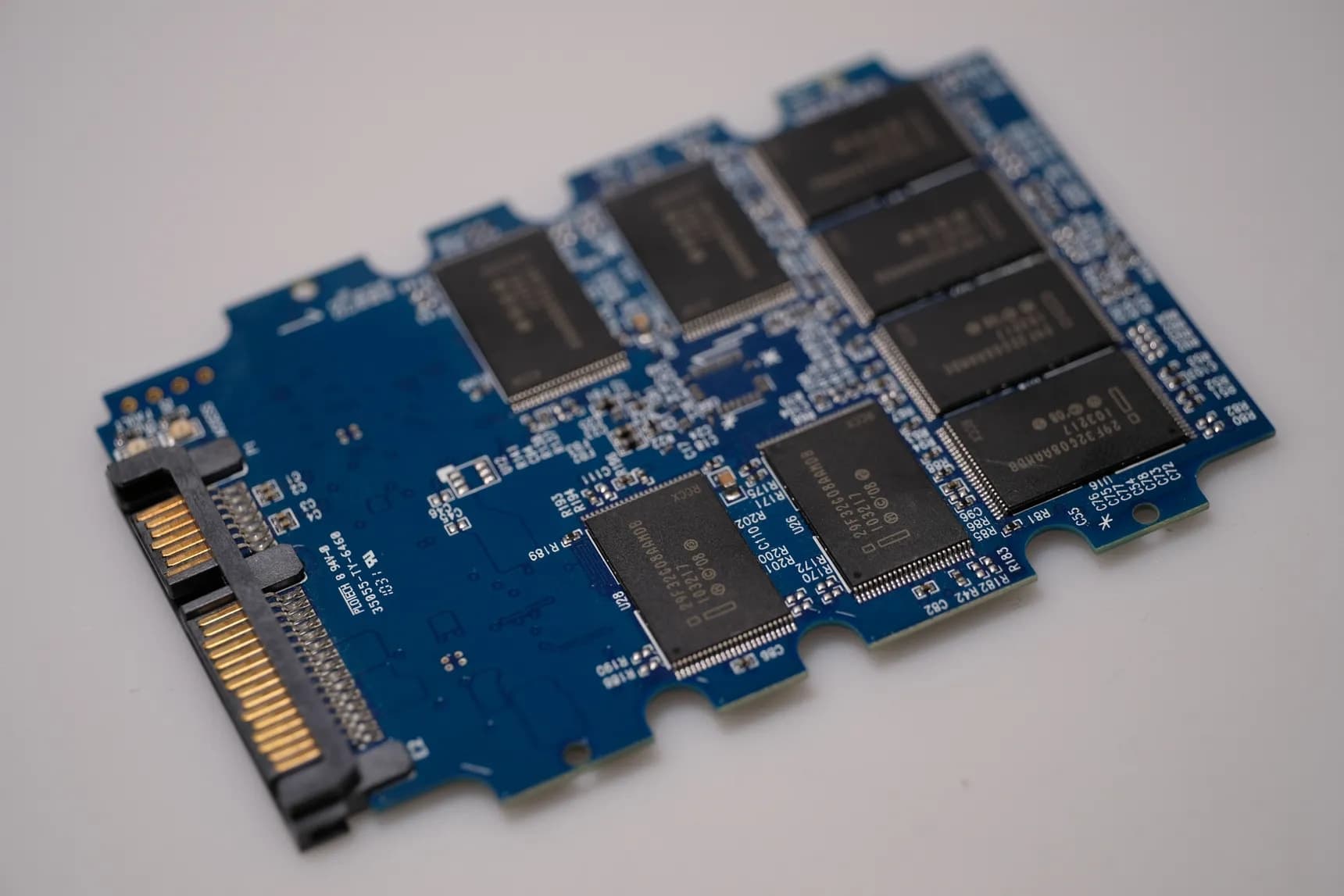
SSD Firmware Failure: Why Your Drive Suddenly Disappears and How to Recover It
SSD Firmware Failure: Why Your Drive Suddenly Disappears and How to Recover It
Yesterday everything worked. Today you switch on your computer and the SSD is gone, as if it had never existed. The BIOS doesn't see it, Windows doesn't see it – nothing does.
You probably have a firmware problem – the most common cause of SSD failure. The good news: your data is most likely still on the drive. The bad news: getting to it requires specialised tools.
What firmware is and why it fails
Firmware = the drive's operating system
Firmware is software built directly into the SSD that controls all of its operations:
- Wear levelling – even distribution of writes across the NAND chips
- TRIM – erasing data that is no longer needed
- ECC correction – error correction during reading
- Mapping tables – translation of logical addresses into physical ones
- Garbage collection – maintenance of free space
Why SSD firmware is more complex than HDD firmware
HDD firmware mainly controls head movement and rotation speed. SSD firmware must also:
- Manage thousands to millions of NAND blocks
- Track the wear of each block
- Encrypt and decrypt data in real time
- Compress data on the fly (some models)
- Maintain complex mapping tables
This complexity means more things can go wrong.
When firmware fails
- Sudden power loss – the most common cause
- Manufacturer bugs – errors in the firmware code
- Flash memory wear – the firmware itself is also stored on NAND
- Overheating – thermal stress can damage firmware data
Symptoms of firmware problems
Drive invisible in the BIOS
The computer boots, but the drive is missing from the BIOS/UEFI settings, as if it weren't connected.
What has probably happened:
- The firmware didn't load correctly
- The controller entered "safe mode"
- The mapping tables are corrupted
Capacity of 0 MB or 8 MB
The drive is visible, but instead of its correct capacity (e.g. 500 GB) it shows 0 MB or 8 MB.
What this means:
- The controller is in emergency mode
- The firmware loaded only partially
- A known problem with some models
Drive visible but extremely slow
The drive works, but every operation takes minutes. Even copying a small file freezes.
What's probably happening:
- The firmware is trying to correct errors
- The mapping tables are corrupted
- The controller is recalculating ECC
Random disconnections and reconnections
The SSD randomly disconnects, then reappears. Windows reports an error.
Possible causes:
- Firmware bug
- Unstable power supply
- Beginning controller failure
SMART reports critical errors
Tools such as CrystalDiskInfo show warnings or a critical status.
Relevant SMART values:
- Media Wearout Indicator
- Program Fail Count
- Erase Fail Count
Known firmware bugs by manufacturer
Samsung
840 EVO – performance degradation (2014)
Problem: After several months of use, reading older data slowed down dramatically. Files written months earlier were read at a fraction of the original speed.
Cause: An error in the algorithm for reading data from worn NAND cells.
Symptoms:
- Slow reading of older files (tens of MB/s instead of hundreds)
- Overall performance degradation over time
- Random freezing
Samsung's solution:
- Firmware update
- "Performance Restoration" tool (rewrites the data)
Lesson: Even major manufacturers make mistakes. Regular backups are essential.
840 Pro
Similar problems to the 840 EVO, but on a smaller scale. A firmware update helped most users.
850/860/870 series
Significantly more reliable. Occasional firmware problems were resolved by regular updates.
Kingston
V300 – silent component change (2013)
Problem: Kingston quietly switched the NAND chips from fast synchronous to slower asynchronous ones without changing the product designation.
Consequences:
- Significantly lower performance than specified
- Stability problems
- Higher failure rate
Lesson: Read independent reviews – manufacturers sometimes change components without notice.
Other models
Historically, Kingston's cheaper lines had a higher rate of firmware problems. The premium lines (KC, A2000) are more reliable.
Intel
320 Series – "8MB bug" (2011)
Problem: The drive suddenly shrank to 8 MB. All data seemed to have disappeared.
Cause: Unexpected power loss during a critical operation.
Symptoms:
- Capacity of 8 MB instead of the correct value
- Data inaccessible
- The BIOS sees the drive, but with the wrong capacity
Consequence: Intel added Power Loss Protection to newer models.
Lesson: For important data, use SSDs with PLP (Power Loss Protection) or a UPS.
OCZ
Several models with reliability problems
OCZ (now part of Toshiba/Kioxia) had a high failure rate in several models:
- Vertex 2, Vertex 3
- Agility
- Vector
Problems:
- Sudden failures without warning
- Firmware bugs
- High failure rate in the first year
Result: The company went bankrupt and was bought by Toshiba.
Lesson: A low price often means lower reliability. Investing in a quality SSD pays off.
Crucial/Micron
M500/M550
Firmware bugs fixed by updates. Reliable overall once updated.
MX series
One of the most reliable lines on the market. We recommend them.
SanDisk
SSD Plus, Ultra
Cheaper models with higher problem rates. The premium line (Extreme) is more reliable.
Sudden power loss – the main cause
What happens during a power cut
An SSD writes data constantly – not just your files, but also:
- Mapping tables (where data is physically located)
- Wear levelling information
- The TRIM queue
- The firmware cache
If the power fails in the middle of these operations:
- Mapping tables can become inconsistent
- The firmware can be damaged
- Data can end up in an undefined state
Consumer vs enterprise SSDs
Consumer SSDs (regular):
- Usually without protection against power failure
- Rely on capacitors to complete the current write
- Not enough to write out the entire cache
Enterprise SSDs:
- Power Loss Protection (PLP)
- Larger capacitors or supercapacitors
- Backup power to complete all ongoing operations
Why a UPS is important
For a computer with important data on an SSD, a UPS (uninterruptible power supply) is an excellent investment:
- Protects against power cuts
- Protects against power surges
- Gives you time to shut down properly
Diagnosing firmware problems
Manufacturer tools
Most manufacturers offer diagnostic software:
- Samsung Magician – for Samsung SSDs
- Intel SSD Toolbox / Intel Memory and Storage Tool
- Crucial Storage Executive
- Kingston SSD Manager
- SanDisk Dashboard
These tools can:
- Display the firmware status
- Offer updates
- Run diagnostics
Warning: If the drive isn't visible, these tools won't help.
Professional tools
For cases where ordinary tools don't see the drive:
- PC-3000 SSD – professional hardware/software solution
- VNR (Visual NAND Reconstructor) – for chip-off recovery
These tools enable:
- Access to the drive even in emergency mode
- Work directly at firmware level
- Reading data even from a "dead" drive
Recovery options
Firmware reflash
What it is: Rewriting the SSD's firmware using specialised tools.
When it's possible:
- The controller responds (at least in emergency mode)
- The NAND chips are readable
Risks:
- An incorrect procedure can "brick" the drive
- Requires the correct firmware version for the specific model
Mapping table reconstruction
What it is: Rebuilding the table that records where data is physically stored.
When it's possible:
- The firmware is functional
- The tables are damaged but can be reconstructed
Requires:
- Knowledge of the specific controller
- Specialised tools
When firmware-level recovery is not possible
- Physically damaged NAND chips – chip-off is necessary
- Unknown controller – no tools exist for the specific chip
- Severely damaged firmware + encryption – the key may be lost
Preventing firmware problems
1. A quality power supply
- A UPS for important computers
- A quality power supply unit in your PC
- Never disconnect an SSD while it's running
2. Safe disconnection
Always use "Safely Remove Hardware" or shut the system down properly.
3. Firmware updates – with caution
YES:
- Update the firmware if you have problems
- Update if the update fixes security issues
BUT:
- Always back up before updating
- Don't fix what works (newest isn't always best)
4. Buy proven brands
Reliable brands (currently):
- Samsung (EVO, PRO lines)
- Crucial (MX line)
- Western Digital (Blue, Black)
- Intel (some models)
Be cautious with:
- Unknown brands
- Extremely cheap models
- Models without reviews
FAQ
Can I fix the firmware myself?
We don't recommend it. Without the right tools and experience you risk:
- Permanent data loss
- "Bricking" the drive
- Making the situation worse
How much does recovering an SSD with a firmware fault cost?
Recovery of an SSD with a firmware fault starts from €329; purely logical recovery from a working drive starts from €99. After the free initial assessment you receive a binding quote. SSD price list →
Will my data survive the firmware work?
Usually yes, if the NAND chips are fine. Firmware-level work focuses on making the data accessible, not on modifying it.
How can I tell whether it's a firmware problem and not another fault?
Typical signs of a firmware problem:
- The drive isn't visible but isn't physically damaged
- Capacity of 0 MB or 8 MB
- The problem appeared after a power cut
- No signs of physical damage (burning smell, heat)
Need help?
If your SSD shows symptoms of a firmware problem, we can help. Register your case online – the initial assessment is free, you receive a binding quote before any recovery work starts, and with No Data, No Fee you pay nothing if we recover nothing.
Email: info@datahelp.eu