Hard Drive (HDD) Data Recovery - Complete Guide 2026
Hard Drive (HDD) Data Recovery - Complete Guide 2026
Data loss from a hard drive is one of the most stressful situations that can happen to both regular users and large companies. Family photos, important documents, business databases – everything can be at risk when an HDD stops working.
DataHelp was founded in 1998, and our team's experience in data recovery goes back to 1990. Since then, we have handled more than 57,000 cases. In this guide, we share our experience – you'll learn why drives fail, how to recognise warning signs, what to do (and not do) when failure occurs, and when it's time to contact a professional.
What is a Hard Drive (HDD) and How Does It Work
A hard disk drive (HDD) is an electromechanical device for storing data. Unlike modern SSD drives, it contains moving mechanical parts, making it more susceptible to damage.
Main Components of a Hard Drive
Platters Metal disks coated with a magnetic layer on which data is written. A typical drive has 1-5 platters that rotate at 5,400 to 7,200 revolutions per minute. Server drives can reach up to 15,000 RPM.
Read/Write Heads Miniature electromagnets that float above the platter surface at a distance of just 3-5 nanometers – that's about 1/20,000th of the thickness of a human hair. Any contact between the head and platter (a "head crash") can cause irreversible data damage.
Actuator The arm that moves the heads over the correct tracks on the platter. It operates with micrometre precision.
Spindle Motor Spins the platters to operating speed. When starting the drive, it needs to overcome the inertia of the platters, which is one of the critical moments.
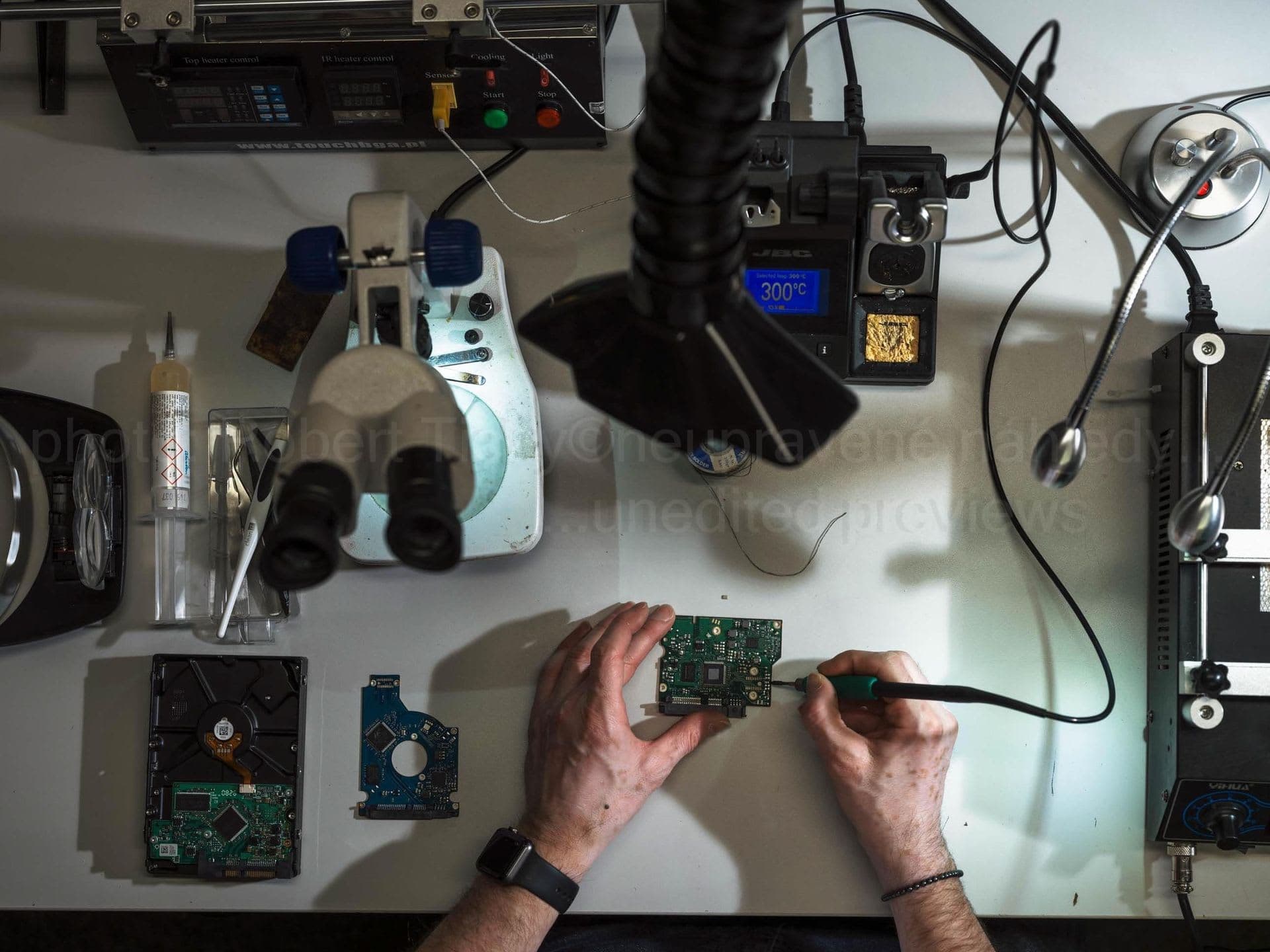
Electronics (PCB) The control board containing the processor, cache memory, and drive firmware. It processes commands from the computer and controls all drive operations.
Why HDDs Are Prone to Damage
The combination of high speeds, extreme precision, and mechanical parts creates a device that is sensitive to:
- Impacts and drops
- Overheating
- Electrical fluctuations
- Natural wear
Despite this, HDDs remain popular due to their low cost per gigabyte and long lifespan with proper handling.
Most Common Causes of HDD Failure
In more than 35 years of practice, we have identified seven main causes of hard drive failure. Understanding these causes can help you recognise problems early. A complete analysis can be found in 7 Most Common Causes of Hard Drive Failure.
1. Mechanical Damage
A laptop drop, desk bump, or toppled external drive – all can cause mechanical damage. Read heads are extremely sensitive, and a fall from just 10 cm can be fatal.
Mechanical damage often results in:
- Damaged read heads
- Scratched platters
- Deformed actuator
More on this topic in Mechanical HDD Damage: Can Data Be Recovered After a Drop?
2. Material Wear
Every drive has a limited lifespan. Read heads gradually wear out, motor bearings lose precision. Typical HDD lifespan is 3-5 years with normal use, but can be shorter with intensive operation.
3. Electrical Damage
Power surges, lightning strikes, faulty power supplies, or short circuits can damage drive electronics. Often the control board (PCB) is affected, but electrical discharge can also damage the preamplifier in the heads.
4. Bad Sectors
Bad sectors are areas on the platter that cannot be reliably read or written. They occur either as manufacturing defects or through gradual wear. Details in Bad Sectors: When to Back Up and When to Call for Help.
5. Firmware Problems
Firmware is the drive's "operating system." If it gets corrupted, the drive may stop working even though the hardware is fine. Some production series had known firmware bugs that caused mass failures. We solve similar problems with SSD drives with damaged firmware.
6. Overheating
Hard drives have an optimal operating temperature of 25-45°C. Long-term overheating above 55°C can cause:
- Platter deformation
- Bearing lubrication degradation
- Electronics damage
7. Factory Defects
Some drives fail in the first months of use due to factory defects. This phenomenon is called "infant mortality" and is why it's important to back up new data immediately.
Warning Signs of a Failing Drive
Most drives don't fail overnight. There are warning signals you shouldn't ignore.
Unusual Sounds
A healthy drive makes only quiet motor buzzing and gentle clicking during read/write. If you hear:
- Repeated clicking – heads cannot find data (click of death)
- Ticking – motor problem or stuck heads
- Squealing or grinding – worn bearings
- Scratching or grinding – head-platter contact (critical!)
Detailed analysis of all sounds in Hard Drive Sounds: What They Mean and When to Call an Expert.
System Slowdown
If your computer suddenly slows down, read/write operations take unusually long, or the system frequently freezes, this may signal drive problems.
Missing or Corrupted Files
Files that cannot be opened, randomly disappear, or appear with corrupted content – these are signs of bad sectors or other problems.
SMART Warnings
The SMART (Self-Monitoring, Analysis and Reporting Technology) system monitors drive health. If your system displays a warning like "Hard disk failure is imminent," take it seriously. Learn to read SMART values in SMART Monitoring: How to Prevent Data Loss.
Blue Screen of Death (BSOD)
Repeated blue screens, especially with disk-related errors (KERNEL_DATA_INPAGE_ERROR, INACCESSIBLE_BOOT_DEVICE), may indicate a failing HDD.
What to Do When HDD Fails – First Steps
How you react in the first minutes after a drive failure can determine whether your data can be recovered. Detailed guide in 5 Fatal Mistakes in HDD Data Recovery.
STOP – What Not to Do
Don't repeatedly turn on the drive. Each startup of a damaged drive can cause further damage. If the drive makes unusual sounds, one startup may be enough for irreversible data damage.
Don't use recovery software. On a mechanically damaged drive, software can cause more harm than good. Software forces the drive to repeatedly read problematic areas, worsening the condition.
Don't open the drive. Even in a "clean" home environment, the air is full of microscopic particles that will damage the platters. Opening a drive outside a professional dust-free environment (in our lab, an ISO Class 5 laminar flow box) means almost certain data loss.
Don't put the drive in the freezer. This "trick" from the 90s no longer works, and condensation can destroy the drive definitively.
Correct Procedure
- Immediately turn off the computer – hold the power button for 5 seconds
- Disconnect the drive – if possible, safely remove it
- Document the situation – what happened, what sounds the drive made
- Don't try to fix anything – leave it to professionals
- Contact an expert – the sooner, the better
How Professional Data Recovery Works
At DataHelp, we proceed systematically to maximise the chance of successful recovery.
Step 1: Case Registration and Shipping
Register your case online at /order – the initial assessment is free. Send the drive to our lab with a tracked, insured carrier (packed in an anti-static bag with plenty of padding), hand it in personally in Prague, Vienna or Bratislava, or book our optional insured DPD pickup (€45, non-refundable; available in AT, BE, CZ, DE, DK, FI, FR mainland, HU, IT mainland, LU, NL, PL, SE, SI and SK).
Step 2: Diagnostics
In our lab, we perform a thorough diagnosis. If the drive has to be opened, this is done only in an ISO Class 5 laminar flow box:
- Visual inspection (damage, corrosion)
- Electronics testing
- SMART value analysis
- Assessment of platter and head condition
Based on the diagnosis, we determine the type of damage and send you a binding quote. Recovery work starts only after you approve it.
Step 3: Data Recovery
Depending on the type of damage, we choose the appropriate procedure:
Logical Damage (deletion, formatting)
- Working with sector copy of the drive
- File system reconstruction
- Deleted file recovery
Mechanical Damage
- Replacing read heads with parts from a donor drive
- Motor replacement using donor parts
- All in an ISO Class 5 laminar flow box
Electronic Damage
- Replacing damaged components or fitting a compatible donor PCB
- Firmware transfer from original board
Firmware Problems
- Service area reconstruction
- Specialised tools for drive communication
Step 4: Verification
After successfully reading the data, we perform:
- File integrity check
- Opening sample files
- Completeness verification
Step 5: Handover to Customer
Recovered data is delivered on new media of your choice (external drive, flash drive, cloud). We can securely destroy the original drive upon request.
Types of Damage and Indicative Prices
| Type of Damage | Description | Indicative Price |
|---|---|---|
| Logical (deletion, format) | Data exists, only metadata missing | from €99 |
| Damaged Heads | Cannot read data, replacement needed | from €529 |
| Platter Damage | Physical scratches on surface | from €459 |
| Seized Motor | Drive won't spin | from €529 |
| PCB Damage | Electronics not working | from €199 |
| Firmware / Service Area | Drive unresponsive | from €459 |
Note: The final price depends on the specific case – you receive a binding quote after the free case assessment. Full price list: HDD pricing.
How Much Does HDD Data Recovery Cost
The price depends on:
- Type of damage – logical problems are cheaper than mechanical
- Drive capacity – larger drives = longer time = higher price
- Urgency – express service costs more
- Amount of data to recover – sometimes only critical files need recovery
Price Ranges (Approximate)
- Software/logical faults: from €99
- Electronics (PCB): from €199
- Platter damage or service area: from €459
- Read-head replacement or seized motor: from €529
- Complex cases: individual quote
Turnaround depends on the service mode: Express 12–48 h, Priority 24–72 h, Standard 3–14 days or EcoHelp 4–6 weeks.
Important: No Data, No Fee. The initial case assessment is free, and if we cannot recover your data, you pay no recovery fee (the optional €45 pickup fee is non-refundable).
How to Prevent Data Loss
The best data recovery is the one you don't need. Prevention is always cheaper than solving the problem.
The 3-2-1 Rule
- 3 copies of data (original + 2 backups)
- 2 different media (e.g., HDD + cloud)
- 1 copy off-site (cloud or different building)
SMART Monitoring
Regularly check drive health using tools like CrystalDiskInfo (Windows) or DriveDx (macOS). Watch especially:
- Reallocated Sector Count
- Current Pending Sector
- Uncorrectable Sector Count
Complete guide in SMART Monitoring: How to Prevent Data Loss.
Proper Drive Handling
- Don't expose the drive to impacts and vibrations
- Ensure adequate cooling
- Use quality power supply (UPS for important systems)
- When transporting, turn off and wait for platters to stop
Planned Replacement
HDDs don't have unlimited lifespan. Consider preventive replacement after 3-5 years, especially for critical systems.
Frequently Asked Questions
Can data be recovered after formatting a hard drive?
Yes, in most cases. Quick formatting only overwrites metadata; the data remains on the drive. The key is not to use the drive after formatting.
How long does HDD data recovery take?
It depends on the type of damage and the service mode you choose: Express 12–48 h, Priority 24–72 h, Standard 3–14 days or EcoHelp 4–6 weeks.
Do I pay if data cannot be recovered?
No. The initial assessment is free, and if we recover nothing, there is no recovery fee (No Data, No Fee). Only the optional €45 pickup fee is non-refundable.
Is my data safe during recovery?
Yes. Employees are bound by confidentiality, data is securely erased after handover. We sign an NDA on request.
Can I open the hard drive myself?
No. Opening it outside an ISO Class 5 environment means almost certain data loss due to dust.
What if the drive fell and makes clicking sounds?
Turn off immediately and don't restart. Clicking = damaged heads. Each startup worsens the situation.
Why Choose DataHelp
35+ Years of Experience
DataHelp was founded in 1998, and our team has been recovering data since 1990. We specialise exclusively in data recovery. We've seen thousands of cases and know how to handle even the most complex situations.
57,000+ Cases Handled
We have helped tens of thousands of customers – from individuals to large corporations. Our experience means higher chances of success for your case.
ISO Class 5 Laminar Flow Boxes
All mechanical work on opened drives is carried out in ISO Class 5 laminar flow boxes – a dust-free, controlled environment.
Free Case Assessment
Register your case online for free and send the drive yourself, hand it in in Prague, Vienna or Bratislava, or book the optional insured DPD pickup (€45).
Express Service
For urgent cases, we offer Express (12–48 h) and Priority (24–72 h) service. When it comes to critical business data, every hour counts.
Need to Recover Data from a Hard Drive?
Don't hesitate to contact us. The sooner you reach out, the higher the chance of successful recovery.
Free case assessment | Binding quote before recovery starts | No Data, No Fee
Send the drive to our lab with a tracked, insured carrier, hand it in personally in Prague, Vienna or Bratislava, or book the optional insured DPD pickup (€45, available in selected EU countries).
Email: info@datahelp.eu
Related Articles
- 7 Most Common Causes of Hard Drive Failure
- Hard Drive Sounds: What They Mean and When to Call an Expert
- 5 Fatal Mistakes in HDD Data Recovery
- SMART Monitoring: How to Prevent Data Loss
- Mechanical HDD Damage: Can Data Be Recovered After a Drop?
- Bad Sectors: When to Back Up and When to Call for Help
- SSD Data Recovery
- RAID Data Recovery