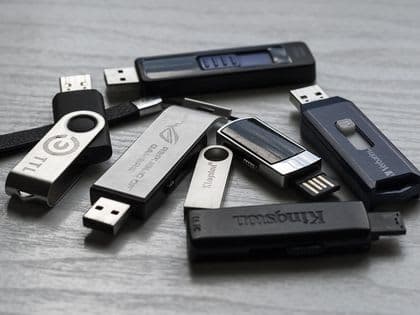
USB Flash Drives: Why They Fail and How to Recover Data
USB Flash Drives: Why They Fail and How to Recover Data
A USB flash drive is reliable – until it isn't. One day you plug it in and Windows reports "USB device not recognized" or "Disk needs to be formatted". What has happened, and can the data be recovered?
In this article we explain why USB drives fail, why cheap drives are problematic, and what recovery options exist.
Anatomy of a USB flash drive
Classic construction
A traditional USB flash drive contains:
- USB connector – the physical connection to the computer
- PCB (printed circuit board) – connects the components
- Controller – manages communication and data
- NAND flash chip(s) – the actual data storage
- Crystal – timing for the controller
- Voltage regulator – protects the electronics
Advantage for recovery: When the controller fails, the NAND chip can be desoldered and read directly.
Monolithic construction
Many modern, cheap USB drives are monolithic:
- The controller and NAND are in a single chip
- Smaller and cheaper to manufacture
- The USB contacts are part of the chip package itself
Problem for recovery: The NAND cannot simply be desoldered. Reading it requires direct contact with pins inside the package – significantly more complex and less likely to succeed.
How to recognise a monolithic drive
- Very small dimensions (mini USB drives)
- Low price (under €8 for 32 GB)
- When opened: a single chip instead of separate components
- Manufacturers: most budget brands, promotional USB drives
Why USB flash drives fail
1. NAND cell wear
Each flash memory cell survives only a limited number of write cycles:
| NAND type | Write cycles | Typical use |
|---|---|---|
| SLC | 100,000 | Enterprise, industrial |
| MLC | 10,000 | Quality USB drives |
| TLC | 3,000 | Regular USB drives |
| QLC | 1,000 | Cheapest drives |
Cheap USB drives use TLC or QLC. With intensive use (daily writes) they can fail within 1–2 years.
2. Sudden disconnection
Pulling out a USB drive during a write is one of the most common causes of problems:
What gets damaged:
- The FAT (file system)
- Allocation tables
- Files being written
- In the worst case, the controller firmware
Symptoms:
- "Disk needs to be formatted"
- Missing files
- Corrupted folders
3. Controller failure
The controller is the "brain" of a USB drive. When it fails:
Causes:
- Electrostatic discharge
- Overvoltage from a faulty USB port
- Manufacturing defect
- Wear
Symptoms:
- The drive isn't recognised at all
- The drive shows 0 MB or an incorrect capacity
- The drive heats up without any activity
4. Physical damage
USB connectors suffer from mechanical stress:
- Bent connector
- Cracked PCB
- Broken solder joints
- Damage from a drop or impact
5. Poor quality
Cheap USB drives from unverified sources often use:
- Recycled NAND chips
- Poor-quality components
- Fake capacity (the drive reports 64 GB but has 8 GB)
"USB device not recognized" – what it means
This message can have various causes:
Problem with the port or cable
Try:
- A different USB port (directly on the motherboard)
- A different computer
- A different USB reader (if you have one)
Controller in emergency mode
The drive attempts to communicate, but the controller has a problem. The data on the NAND is probably fine.
Solution: Professional firmware-level recovery or chip-off.
Dead controller
The controller doesn't communicate at all. It may be burnt out or faulty.
Solution: Chip-off recovery – desoldering the NAND and reading it directly.
Physical interruption
If the connector or PCB is damaged, signals don't get through.
Solution: Resoldering the connector or contacts, or chip-off if necessary.
"Disk needs to be formatted" – what to do
DO NOT FORMAT!
Formatting overwrites critical structures and can destroy your chances of recovery.
What has happened
The file system (usually FAT32 or exFAT) is corrupted. This could affect:
- The boot sector
- The FAT tables
- The root directory
What to do
If the data is not critical: You can try a recovery program (PhotoRec, Recuva, R-Studio) before formatting.
If the data is important: Contact professionals. Software recovery is possible, but done incorrectly it can reduce your chances.
Chip-off recovery: the last resort
What it is
Physically desoldering the NAND chip from the PCB and reading the data directly with a specialised programmer.
When it's used
- The controller is dead
- The firmware cannot be restored
- The PCB is physically damaged
Procedure
- Chip identification – NAND type, manufacturer, organisation
- Desoldering – with a hot-air or IR station
- Reading the raw data – with a NAND programmer
- Decoding:
- ECC correction (error codes)
- Descrambling (random data distribution)
- Wear levelling reconstruction
- XOR transformation
- File system reconstruction
Chances of recovery
With classic USB drives, where the NAND chip can be desoldered, the chances are generally good. Monolithic drives are more demanding because they require direct access to pins inside the chip – a more complex procedure with a higher risk of failure.
Preventing problems
Safe removal
Windows:
- System tray → USB icon
- "Eject [drive name]"
- Wait for confirmation
- Only then remove the drive
Mac:
- Finder → eject icon
- Or drag the drive to the Bin
- Wait for the icon to disappear
Buy quality drives
Recommended brands:
- SanDisk (Extreme, Ultra Flair)
- Samsung (BAR Plus, FIT Plus)
- Kingston (DataTraveler, IronKey)
- Transcend (JetFlash)
Avoid:
- Unknown brands
- Extremely low prices
- Promotional USB drives
Don't use it as primary storage
USB flash drives are for transfer, not archiving:
- Back up important data elsewhere
- Don't keep originals on it, only copies
- Check the contents regularly
Physical protection
- Use protective caps
- Don't expose the drive to extreme temperatures
- Watch out for moisture
- Don't touch the contacts
FAQ
How long does a USB flash drive last?
It depends on quality and usage:
- Quality drive, regular use: 5–10 years
- Cheap drive, intensive use: 1–3 years
- Promotional USB drive: unpredictable
Is recovery from a monolithic USB drive possible?
Yes, but it is more complex and more expensive, and the chances of success are lower than with classic drives. If you have important data on a cheap mini USB drive, be prepared for the possibility that recovery may not be feasible.
Can I recover data from a USB drive myself?
You can try to solve logical problems (deleted files, formatting) with a recovery program. Physical problems (controller, NAND) require professional equipment.
Why does my USB drive show the wrong capacity?
Possible causes:
- Controller in emergency mode: it shows the capacity of the chip, not the actual one
- Fake drive: cheap drives sometimes lie about their capacity
- Corruption: part of the NAND is unavailable
Need to recover data from a USB drive?
Whether you have a classic or a monolithic USB drive, we can help. Register your case online – the initial assessment is free and you receive a binding quote before any recovery work starts. No Data, No Fee.
Email: info@datahelp.eu